
Multiple Models#
|
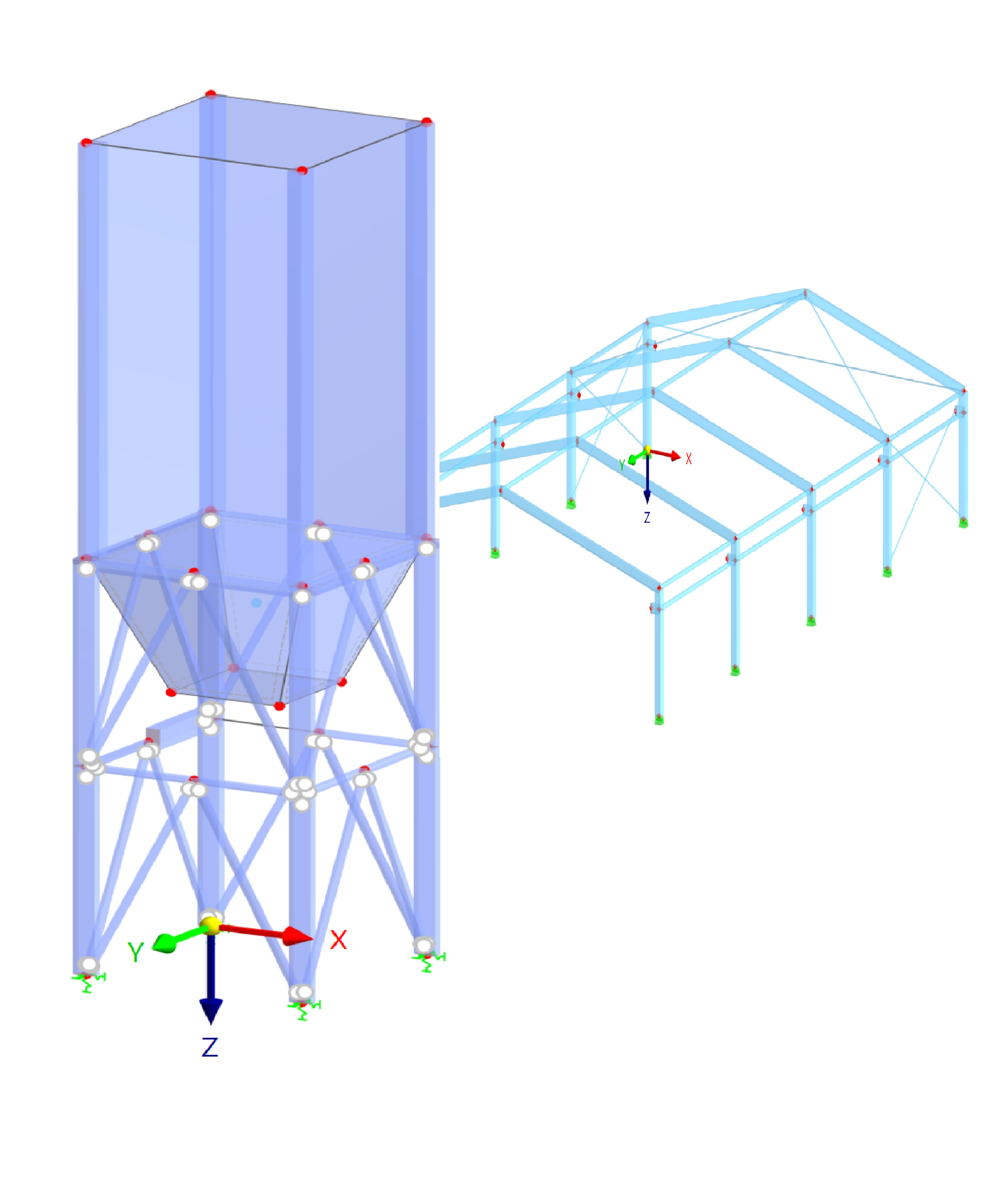
This example demonstrates how to interact with multiple RFEM models within the same script:
|
from dlubal.api import rfem, common

# -------------------------------------------------------
# This example demonstrates how to interact with multiple RFEM models
# using the RFEM API. The script includes creating, updating,
# and querying model object/s in two separate models in one script.
# -------------------------------------------------------

# Function to create, update, and query model object/s
def create_update_and_query_objects(rfem_app, model_id=None):

    # Create a list of objects
    rfem_app.create_object_list(
        objs=[
            rfem.structure_core.Node(no=1, coordinate_1=0.0),
            rfem.structure_core.Node(no=2, coordinate_1=2.0),
            rfem.structure_core.Node(no=3, coordinate_1=3.0),
            rfem.structure_core.Line(no=1, definition_nodes=[1, 2, 3]),
            rfem.structure_core.Material(no=1, name='S235'),
            rfem.structure_core.CrossSection(no=1, name='IPE 200', material=1)
        ],
        model_id=model_id
    )

    # Create a single object
    rfem_app.create_object(
        obj=rfem.structure_core.Member(no=1, line=1, cross_section_start=1),
        model_id=model_id
    )

    # Update a list of objects
    rfem_app.update_object_list(
        objs=[
            rfem.structure_core.Node(no=1, coordinate_2=1.0),
            rfem.structure_core.Node(no=2, coordinate_2=1.0),
            rfem.structure_core.Node(no=3, coordinate_2=1.0),
            rfem.structure_core.Line(no=1, definition_nodes=[1, 3]),
        ],
        model_id=model_id
    )

    # Update a single object
    rfem_app.update_object(
        obj=rfem.structure_core.Node(
            no=2,
            type=rfem.structure_core.Node.TYPE_ON_MEMBER,
            on_member_reference_member=1,
            distance_from_start_absolute=2.0
        ),
        model_id=model_id
    )

    # Retrieve a list of objects
    node_list = rfem_app.get_object_list(
        objs=[rfem.structure_core.Node()],
        model_id=model_id
    )
    for node in node_list:
        print(f"{node.DESCRIPTOR.name}: {node.no} [X={node.coordinate_1}, Y={node.coordinate_2}] | Type: {node.type}")

    # Retrieve a single objects
    member = rfem_app.get_object(
        obj=rfem.structure_core.Member(no=1)
    )
    print(f"{member.DESCRIPTOR.name}: {member.no},  Length: {member.length} [m]")


# --- MAIN SCRIPT ---

# Connect to the RFEM application
with rfem.Application() as rfem_app:

    rfem_app.close_all_models(save_changes=False)

    # Create two separate models and store their model IDs
    model_1: common.ModelId = rfem_app.create_model(name="model_1")
    model_2: common.ModelId = rfem_app.create_model(name="model_2")
    model_list = rfem_app.get_model_list()
    print(f"\nModel list:\n {model_list}")

    # Make operations on currently active model (default is model_2)
    active_model = rfem_app.get_active_model()
    print(f"\nCurrently active model_2:\n {active_model}")
    create_update_and_query_objects(rfem_app)  # Use default active model

    # Perform operations on model_1 by passing its model ID
    print(f"\nSwitching to model_1 (by ID):\n {model_1}")
    create_update_and_query_objects(rfem_app, model_id=model_1)

    # Set model_1 as the active model
    rfem_app.set_active_model(model_1)
    active_model = rfem_app.get_active_model()
    print(f"\nSetting model_1 as active:\n {active_model}")
using Rfem = Dlubal.Api.Rfem;
using Common = Dlubal.Api.Common;
using Google.Protobuf;
using System.Threading.Tasks;


// -------------------------------------------------------
// This example demonstrates how to interact with multiple RFEM models
// using the RFEM API. The code includes creating, updating,
// and querying model object/s in two separate models within one script.
// -------------------------------------------------------


// Function to create, update, and query model object/s
static void CreateUpdateAndGetObjects(ApplicationRfem rfemApp, Common.ModelId? modelId = null)
{

    // Create a list of objects
    rfemApp.create_object_list(
        objs: new List<IMessage> {
            new Rfem.StructureCore.Node{No=1, Coordinate1=0.0},
            new Rfem.StructureCore.Node{No=2, Coordinate1=2.0},
            new Rfem.StructureCore.Node{No=3, Coordinate1=3.0},
            new Rfem.StructureCore.Material{No=1, Name="S235"},
            new Rfem.StructureCore.CrossSection{No=1, Name="IPE 200", Material=1},
            new Rfem.StructureCore.Line{No=1, DefinitionNodes={ 1, 2, 3 }}
        },
        modelId: modelId
    );

    // Create a single object
    rfemApp.create_object(
        obj: new Rfem.StructureCore.Member{No=1, Line=1, CrossSectionStart=1},
        modelId: modelId
    );

    // Update a list of objects
    rfemApp.update_object_list(
        objs: new List<IMessage> {
            new Rfem.StructureCore.Node{No=1, Coordinate2=1.0},
            new Rfem.StructureCore.Node{No=2, Coordinate2=1.0},
            new Rfem.StructureCore.Node{No=3, Coordinate2=1.0},
            new Rfem.StructureCore.Line{No=1, DefinitionNodes={ 1, 3 }}
        },
        modelId: modelId
    );

    // Update a single object
    rfemApp.update_object(
        obj: new Rfem.StructureCore.Node{
            No=2,
            Type=Rfem.StructureCore.Node.Types.Type.OnLine,
            OnLineReferenceLine=1,
            DistanceFromStartAbsolute=2.0
        },
        modelId: modelId
    );

    // Retrieve a list of objects
    var nodeList = rfemApp.get_object_list(
        objs: new List<IMessage> {
            new Rfem.StructureCore.Node{}
        },
        modelId: modelId
    );
    foreach (var obj in nodeList)
    {
        if (obj is Rfem.StructureCore.Node node)
        {
            Console.WriteLine($"{Rfem.StructureCore.Node.Descriptor.Name}: {node.No} [X={node.Coordinate1}, Y={node.Coordinate2}] | Type: {node.Type}");
        }
    }


    // Retrieve a single object
    var line = rfemApp.get_object<Rfem.StructureCore.Line>(
        obj: new Rfem.StructureCore.Line{ No = 1 }
    );
    Console.WriteLine($"{Rfem.StructureCore.Line.Descriptor.Name}: {line.No}, Length: {line.Length} [m]");
}


// MAIN SCRIPT

ApplicationRfem? rfemApp = null;

try
{
    // Connect to the RFEM application
    rfemApp = new ApplicationRfem();
    rfemApp.close_all_models(saveChanges: false);

    // Create two separate models and store their model IDs
    Common.ModelId model_1 = rfemApp.create_model(name: "model_1");
    Common.ModelId model_2 = rfemApp.create_model(name: "model_2");
    var modelList = rfemApp.get_model_list();
    Console.WriteLine($"\nModel list:\n{modelList}");

    // Make operations on current active model (=model_2)
    var activeModel = rfemApp.get_active_model();
    Console.WriteLine($"\nCurrently active model_2:\n{activeModel}");
    CreateUpdateAndGetObjects(rfemApp);

    // Make operations on next model using its ID (=model_1)
    Console.WriteLine($"\nSwitching to model_1 (by ID):\n{model_1}");
    CreateUpdateAndGetObjects(rfemApp, model_1);

    // Set as active model this model (=model_1)
    rfemApp.set_active_model(modelId: model_1);
    var newActiveModel = rfemApp.get_active_model();
    Console.WriteLine($"\nSetting model_1 as active:\n{newActiveModel}");

}

catch (Exception ex)
{
    Console.WriteLine($"Error: {ex.Message}");
}
finally
{
    if (rfemApp != null) rfemApp.close_connection();
}