
Print Graphics to File#
|
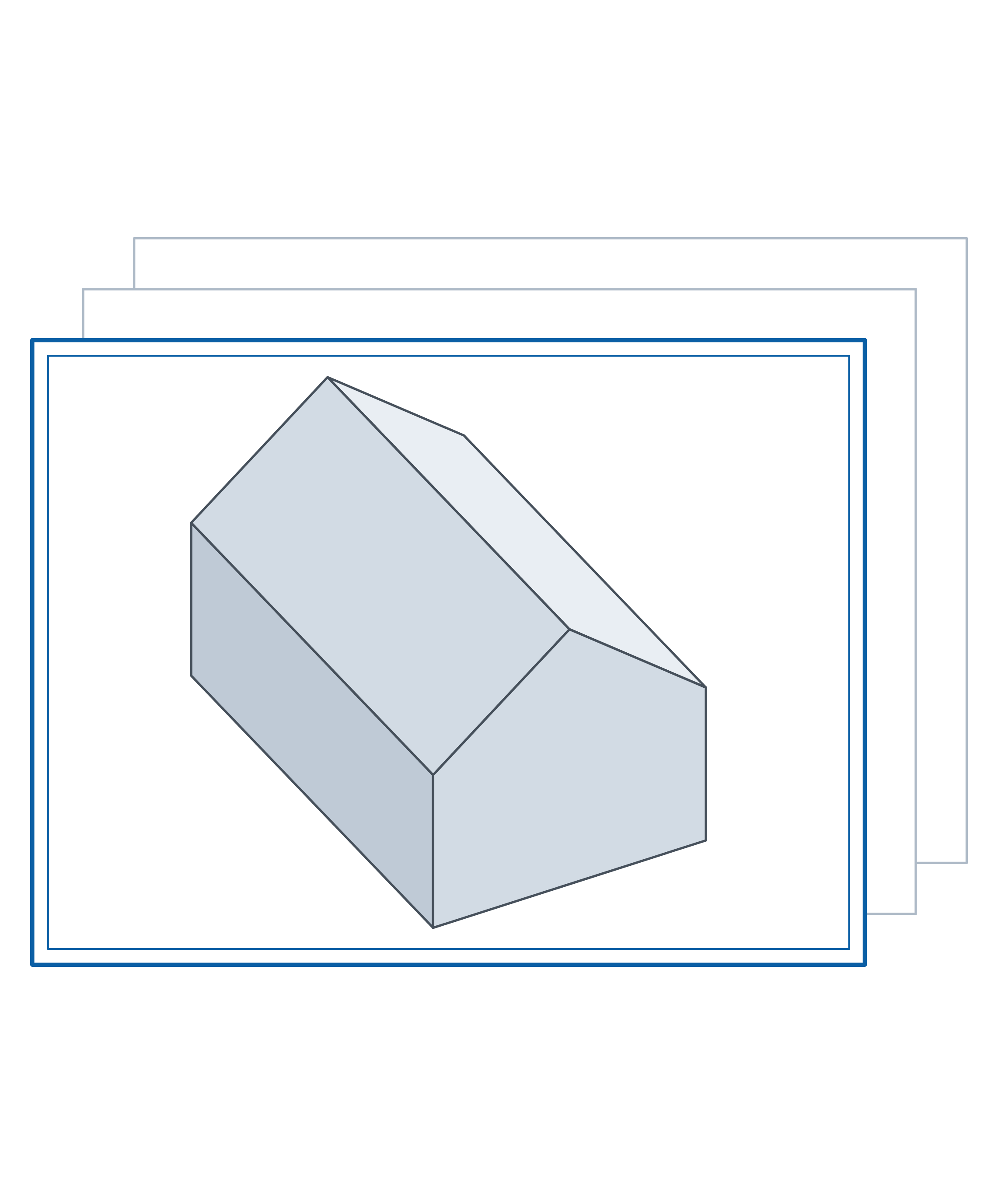
Exporting the RFEM graphics view to a raster image file:
Keywords:
print graphics image export PNG JPEG picture quality color mode surfaces |
from dlubal.api import rfem
from math import inf
from pathlib import Path

# -------------------------------------------------------
# This example demonstrates how to export the RFEM
# graphics view to a raster image file. A small
# single-storey house is built entirely from surfaces -
# floor slab, walls with gable ends and a pitched roof -
# calculated, and then written out as a picture: with the
# default settings, at a quality preset, at a user-defined
# picture size, in grayscale with a frame, and in each of
# the supported image formats.
#
# Only PrintToImageFileAttributes is supported as
# graphic_export_attributes, and the image format follows
# the file extension: PNG, JPEG, BMP and TIFF.
#
# The output path is resolved by the RFEM process and not
# by this script, so it is always passed as an absolute
# path.
#
# RFEM's global Z axis points DOWN, so the heights below
# are given as heights above the floor and negated where
# they are used as coordinates.
# -------------------------------------------------------

# Editable parameters (SI units)
MODEL_NAME = 'print_graphics_to_file'
OUTPUT_DIR = Path('./graphics_export').resolve()   # absolute, see the note above

# Geometry, as heights above the floor
LENGTH = 8.0                       # L  [m], along the ridge
WIDTH = 5.0                        # W  [m], across the ridge
EAVES_HEIGHT = 3.0                 # h  [m], top of the walls
RIDGE_HEIGHT = 5.0                 # hr [m], apex of the roof

SLAB_THICKNESS = 0.20              # [m]
WALL_THICKNESS = 0.30              # [m]
ROOF_THICKNESS = 0.16              # [m]

MATERIAL = 'C25/30'

SNOW_LOAD = 1000.0                 # [N/m2], on the two roof planes
IMPOSED_LOAD = 2000.0              # [N/m2], on the floor slab

# Picture size for the user-defined export: A4 landscape
PICTURE_WIDTH = 0.297              # [m]
PICTURE_HEIGHT = 0.210             # [m]
PICTURE_PIXEL_SIZE = 2000          # longer side [px]

IMAGE_FORMATS = ('png', 'jpg', 'bmp', 'tif')


def define_structure() -> list:
    """Define and return a list of structural objects."""

    eaves_z = -EAVES_HEIGHT
    ridge_z = -RIDGE_HEIGHT

    return [
        # Material and thicknesses
        rfem.structure_core.Material(
            no=1,
            name=MATERIAL,
        ),
        rfem.structure_core.Thickness(
            no=1,
            material=1,
            uniform_thickness=SLAB_THICKNESS,  # Floor slab
        ),
        rfem.structure_core.Thickness(
            no=2,
            material=1,
            uniform_thickness=WALL_THICKNESS,  # Walls
        ),
        rfem.structure_core.Thickness(
            no=3,
            material=1,
            uniform_thickness=ROOF_THICKNESS,  # Roof
        ),

        # Nodes at floor level
        rfem.structure_core.Node(
            no=1,
        ),
        rfem.structure_core.Node(
            no=2,
            coordinate_1=LENGTH,
        ),
        rfem.structure_core.Node(
            no=3,
            coordinate_1=LENGTH,
            coordinate_2=WIDTH,
        ),
        rfem.structure_core.Node(
            no=4,
            coordinate_2=WIDTH,
        ),

        # Nodes at eaves level
        rfem.structure_core.Node(
            no=5,
            coordinate_3=eaves_z,
        ),
        rfem.structure_core.Node(
            no=6,
            coordinate_1=LENGTH,
            coordinate_3=eaves_z,
        ),
        rfem.structure_core.Node(
            no=7,
            coordinate_1=LENGTH,
            coordinate_2=WIDTH,
            coordinate_3=eaves_z,
        ),
        rfem.structure_core.Node(
            no=8,
            coordinate_2=WIDTH,
            coordinate_3=eaves_z,
        ),

        # Nodes at the ridge
        rfem.structure_core.Node(
            no=9,
            coordinate_2=WIDTH / 2,
            coordinate_3=ridge_z,
        ),
        rfem.structure_core.Node(
            no=10,
            coordinate_1=LENGTH,
            coordinate_2=WIDTH / 2,
            coordinate_3=ridge_z,
        ),

        # Floor outline
        rfem.structure_core.Line(
            no=1,
            definition_nodes=[1, 2],
        ),
        rfem.structure_core.Line(
            no=2,
            definition_nodes=[2, 3],
        ),
        rfem.structure_core.Line(
            no=3,
            definition_nodes=[3, 4],
        ),
        rfem.structure_core.Line(
            no=4,
            definition_nodes=[4, 1],
        ),

        # Eaves
        rfem.structure_core.Line(
            no=5,
            definition_nodes=[5, 6],
        ),
        rfem.structure_core.Line(
            no=6,
            definition_nodes=[8, 7],
        ),

        # Wall corners
        rfem.structure_core.Line(
            no=7,
            definition_nodes=[1, 5],
        ),
        rfem.structure_core.Line(
            no=8,
            definition_nodes=[2, 6],
        ),
        rfem.structure_core.Line(
            no=9,
            definition_nodes=[3, 7],
        ),
        rfem.structure_core.Line(
            no=10,
            definition_nodes=[4, 8],
        ),

        # Ridge and rafters
        rfem.structure_core.Line(
            no=11,
            definition_nodes=[9, 10],
        ),
        rfem.structure_core.Line(
            no=12,
            definition_nodes=[5, 9],
        ),
        rfem.structure_core.Line(
            no=13,
            definition_nodes=[9, 8],
        ),
        rfem.structure_core.Line(
            no=14,
            definition_nodes=[6, 10],
        ),
        rfem.structure_core.Line(
            no=15,
            definition_nodes=[10, 7],
        ),

        # Floor slab
        rfem.structure_core.Surface(
            no=1,
            boundary_lines=[1, 2, 3, 4],
            thickness=1,
        ),

        # Long walls
        rfem.structure_core.Surface(
            no=2,
            boundary_lines=[1, 8, 5, 7],
            thickness=2,
        ),
        rfem.structure_core.Surface(
            no=3,
            boundary_lines=[3, 10, 6, 9],
            thickness=2,
        ),

        # Gable walls
        rfem.structure_core.Surface(
            no=4,
            boundary_lines=[4, 7, 12, 13, 10],
            thickness=2,
        ),
        rfem.structure_core.Surface(
            no=5,
            boundary_lines=[2, 8, 14, 15, 9],
            thickness=2,
        ),

        # Roof planes
        rfem.structure_core.Surface(
            no=6,
            boundary_lines=[5, 14, 11, 12],
            thickness=3,
        ),
        rfem.structure_core.Surface(
            no=7,
            boundary_lines=[6, 15, 11, 13],
            thickness=3,
        ),

        # Fully fixed line support along the floor outline
        rfem.types_for_lines.LineSupport(
            no=1,
            lines=[1, 2, 3, 4],
            spring_x=inf,
            spring_y=inf,
            spring_z=inf,
            rotational_restraint_x=inf,
            rotational_restraint_y=inf,
            rotational_restraint_z=inf,
        ),
    ]


def define_loading() -> list:
    """Define and return a list of loading objects."""

    return [
        rfem.loading.StaticAnalysisSettings(
            no=1,
            analysis_type=rfem.loading.StaticAnalysisSettings.ANALYSIS_TYPE_GEOMETRICALLY_LINEAR,
        ),
        rfem.loading.LoadCase(
            no=1,
            name='Snow and imposed load',
            static_analysis_settings=1,
        ),
        rfem.loads.SurfaceLoad(
            no=1,
            load_case=1,
            surfaces=[6, 7],
            load_type=rfem.loads.SurfaceLoad.LOAD_TYPE_FORCE,
            uniform_magnitude=SNOW_LOAD,
        ),
        rfem.loads.SurfaceLoad(
            no=2,
            load_case=1,
            surfaces=[1],
            load_type=rfem.loads.SurfaceLoad.LOAD_TYPE_FORCE,
            uniform_magnitude=IMPOSED_LOAD,
        ),
    ]


with rfem.Application() as rfem_app:

    app_info = rfem_app.get_application_info()
    print(f"\nApplication Info:\n{app_info}")

    # Modelling
    rfem_app.close_all_models(save_changes=False)
    rfem_app.create_model(name=MODEL_NAME)
    rfem_app.delete_all_objects()
    rfem_app.create_object_list(define_structure() + define_loading())

    # Calculation
    calculation_info = rfem_app.calculate_all(skip_warnings=True)
    print(f"\nCalculation Info:\n{calculation_info}")

    # Graphics export
    OUTPUT_DIR.mkdir(parents=True, exist_ok=True)

    # Export the graphics view with default settings. The export attributes
    # select the output type - PrintToImageFileAttributes stands for a raster
    # image, and the file extension decides the image format.
    rfem_app.print_graphics_to_file(
        filepath=str(OUTPUT_DIR / 'house_default.png'),
        graphic_export_attributes=rfem.graphic_export.PrintToImageFileAttributes(),
    )

    # Export in high quality. The presets are LOW (~1000 px), MEDIUM (~2500 px,
    # the default) and HIGH (~5000 px), applied to the longer side of the image.
    rfem_app.print_graphics_to_file(
        filepath=str(OUTPUT_DIR / 'house_high_quality.png'),
        graphic_export_attributes=rfem.graphic_export.PrintToImageFileAttributes(
            picture_quality=rfem.graphic_export.GRAPHIC_PICTURE_QUALITY_HIGH,
        ),
    )

    # Export a user-defined picture size. physical_width, physical_height and
    # pixel_size are mandatory for - and only allowed with -
    # GRAPHIC_PICTURE_QUALITY_USER_DEFINED.
    rfem_app.print_graphics_to_file(
        filepath=str(OUTPUT_DIR / 'house_a4_landscape.png'),
        graphic_export_attributes=rfem.graphic_export.PrintToImageFileAttributes(
            picture_quality=rfem.graphic_export.GRAPHIC_PICTURE_QUALITY_USER_DEFINED,
            physical_width=PICTURE_WIDTH,
            physical_height=PICTURE_HEIGHT,
            pixel_size=PICTURE_PIXEL_SIZE,
        ),
    )

    # Export a grayscale picture with a frame, scaled to fill the whole picture area
    rfem_app.print_graphics_to_file(
        filepath=str(OUTPUT_DIR / 'house_grayscale_framed.png'),
        graphic_export_attributes=rfem.graphic_export.PrintToImageFileAttributes(),
        color_mode=rfem.graphic_export.GRAPHIC_COLOR_MODE_GRAYSCALE,
        frame_type=rfem.graphic_export.GRAPHIC_FRAME_TYPE_FRAMED,
        graphic_pictures_mode=rfem.graphic_export.GRAPHIC_PICTURES_MODE_WINDOW_FILLING,
    )

    # Export the same view into each of the supported image formats
    for image_format in IMAGE_FORMATS:
        rfem_app.print_graphics_to_file(
            filepath=str(OUTPUT_DIR / f'house_default.{image_format}'),
            graphic_export_attributes=rfem.graphic_export.PrintToImageFileAttributes(),
        )

    print(f"\nGraphics exported to: {OUTPUT_DIR}")
using System.Linq;
using Rfem = Dlubal.Api.Rfem;
using Dlubal.Api.Rfem.GraphicExport;
using Google.Protobuf;
using Google.Protobuf.WellKnownTypes;

// -------------------------------------------------------
// This example demonstrates how to export the RFEM
// graphics view to a raster image file. A small
// single-storey house is built entirely from surfaces -
// floor slab, walls with gable ends and a pitched roof -
// calculated, and then written out as a picture: with the
// default settings, at a quality preset, at a user-defined
// picture size, in grayscale with a frame, and in each of
// the supported image formats.
//
// Only PrintToImageFileAttributes is supported as
// graphicExportAttributes, and the image format follows
// the file extension: PNG, JPEG, BMP and TIFF.
//
// The output path is resolved by the RFEM process and not
// by this program, so it is always passed as an absolute
// path.
//
// RFEM's global Z axis points DOWN, so the heights below
// are given as heights above the floor and negated where
// they are used as coordinates.
// -------------------------------------------------------

// Editable parameters (SI units)
const string MODEL_NAME = "print_graphics_to_file";

// Geometry, as heights above the floor
const double LENGTH = 8.0;                 // L  [m], along the ridge
const double WIDTH = 5.0;                  // W  [m], across the ridge
const double EAVES_HEIGHT = 3.0;           // h  [m], top of the walls
const double RIDGE_HEIGHT = 5.0;           // hr [m], apex of the roof

const double SLAB_THICKNESS = 0.20;        // [m]
const double WALL_THICKNESS = 0.30;        // [m]
const double ROOF_THICKNESS = 0.16;        // [m]

const string MATERIAL = "C25/30";

const double SNOW_LOAD = 1000.0;           // [N/m2], on the two roof planes
const double IMPOSED_LOAD = 2000.0;        // [N/m2], on the floor slab

// Picture size for the user-defined export: A4 landscape
const double PICTURE_WIDTH = 0.297;        // [m]
const double PICTURE_HEIGHT = 0.210;       // [m]
const int PICTURE_PIXEL_SIZE = 2000;       // longer side [px]

string[] imageFormats = { "png", "jpg", "bmp", "tif" };

// Returns a list of structural objects to be created.
static List<IMessage> DefineStructure()
{
    double eavesZ = -EAVES_HEIGHT;
    double ridgeZ = -RIDGE_HEIGHT;

    return new List<IMessage>
    {
        // Material and thicknesses
        new Rfem.StructureCore.Material{ No = 1, Name = MATERIAL },
        new Rfem.StructureCore.Thickness{ No = 1, Material = 1, UniformThickness = SLAB_THICKNESS },  // Floor slab
        new Rfem.StructureCore.Thickness{ No = 2, Material = 1, UniformThickness = WALL_THICKNESS },  // Walls
        new Rfem.StructureCore.Thickness{ No = 3, Material = 1, UniformThickness = ROOF_THICKNESS },  // Roof

        // Nodes at floor level
        new Rfem.StructureCore.Node{ No = 1 },
        new Rfem.StructureCore.Node{ No = 2, Coordinate1 = LENGTH },
        new Rfem.StructureCore.Node{ No = 3, Coordinate1 = LENGTH, Coordinate2 = WIDTH },
        new Rfem.StructureCore.Node{ No = 4, Coordinate2 = WIDTH },

        // Nodes at eaves level
        new Rfem.StructureCore.Node{ No = 5, Coordinate3 = eavesZ },
        new Rfem.StructureCore.Node{ No = 6, Coordinate1 = LENGTH, Coordinate3 = eavesZ },
        new Rfem.StructureCore.Node{ No = 7, Coordinate1 = LENGTH, Coordinate2 = WIDTH, Coordinate3 = eavesZ },
        new Rfem.StructureCore.Node{ No = 8, Coordinate2 = WIDTH, Coordinate3 = eavesZ },

        // Nodes at the ridge
        new Rfem.StructureCore.Node{ No = 9, Coordinate2 = WIDTH / 2, Coordinate3 = ridgeZ },
        new Rfem.StructureCore.Node{ No = 10, Coordinate1 = LENGTH, Coordinate2 = WIDTH / 2, Coordinate3 = ridgeZ },

        // Floor outline
        new Rfem.StructureCore.Line{ No = 1, DefinitionNodes = { 1, 2 } },
        new Rfem.StructureCore.Line{ No = 2, DefinitionNodes = { 2, 3 } },
        new Rfem.StructureCore.Line{ No = 3, DefinitionNodes = { 3, 4 } },
        new Rfem.StructureCore.Line{ No = 4, DefinitionNodes = { 4, 1 } },

        // Eaves
        new Rfem.StructureCore.Line{ No = 5, DefinitionNodes = { 5, 6 } },
        new Rfem.StructureCore.Line{ No = 6, DefinitionNodes = { 8, 7 } },

        // Wall corners
        new Rfem.StructureCore.Line{ No = 7, DefinitionNodes = { 1, 5 } },
        new Rfem.StructureCore.Line{ No = 8, DefinitionNodes = { 2, 6 } },
        new Rfem.StructureCore.Line{ No = 9, DefinitionNodes = { 3, 7 } },
        new Rfem.StructureCore.Line{ No = 10, DefinitionNodes = { 4, 8 } },

        // Ridge and rafters
        new Rfem.StructureCore.Line{ No = 11, DefinitionNodes = { 9, 10 } },
        new Rfem.StructureCore.Line{ No = 12, DefinitionNodes = { 5, 9 } },
        new Rfem.StructureCore.Line{ No = 13, DefinitionNodes = { 9, 8 } },
        new Rfem.StructureCore.Line{ No = 14, DefinitionNodes = { 6, 10 } },
        new Rfem.StructureCore.Line{ No = 15, DefinitionNodes = { 10, 7 } },

        // Floor slab
        new Rfem.StructureCore.Surface{ No = 1, BoundaryLines = { 1, 2, 3, 4 }, Thickness = 1 },

        // Long walls
        new Rfem.StructureCore.Surface{ No = 2, BoundaryLines = { 1, 8, 5, 7 }, Thickness = 2 },
        new Rfem.StructureCore.Surface{ No = 3, BoundaryLines = { 3, 10, 6, 9 }, Thickness = 2 },

        // Gable walls
        new Rfem.StructureCore.Surface{ No = 4, BoundaryLines = { 4, 7, 12, 13, 10 }, Thickness = 2 },
        new Rfem.StructureCore.Surface{ No = 5, BoundaryLines = { 2, 8, 14, 15, 9 }, Thickness = 2 },

        // Roof planes
        new Rfem.StructureCore.Surface{ No = 6, BoundaryLines = { 5, 14, 11, 12 }, Thickness = 3 },
        new Rfem.StructureCore.Surface{ No = 7, BoundaryLines = { 6, 15, 11, 13 }, Thickness = 3 },

        // Fully fixed line support along the floor outline
        new Rfem.TypesForLines.LineSupport{
            No = 1,
            Lines = { 1, 2, 3, 4 },
            SpringX = double.PositiveInfinity,
            SpringY = double.PositiveInfinity,
            SpringZ = double.PositiveInfinity,
            RotationalRestraintX = double.PositiveInfinity,
            RotationalRestraintY = double.PositiveInfinity,
            RotationalRestraintZ = double.PositiveInfinity,
        },
    };
}

// Returns a list of loading objects to be created.
static List<IMessage> DefineLoading()
{
    return new List<IMessage>
    {
        new Rfem.Loading.StaticAnalysisSettings{
            No = 1,
            AnalysisType = Rfem.Loading.StaticAnalysisSettings.Types.AnalysisType.GeometricallyLinear,
        },
        new Rfem.Loading.LoadCase{
            No = 1,
            Name = "Snow and imposed load",
            StaticAnalysisSettings = 1,
        },
        new Rfem.Loads.SurfaceLoad{
            No = 1,
            LoadCase = 1,
            Surfaces = { 6, 7 },
            LoadType = Rfem.Loads.SurfaceLoad.Types.LoadType.Force,
            UniformMagnitude = SNOW_LOAD,
        },
        new Rfem.Loads.SurfaceLoad{
            No = 2,
            LoadCase = 1,
            Surfaces = { 1 },
            LoadType = Rfem.Loads.SurfaceLoad.Types.LoadType.Force,
            UniformMagnitude = IMPOSED_LOAD,
        },
    };
}

ApplicationRfem? rfemApp = null;

try
{
    rfemApp = new ApplicationRfem();

    var appInfo = rfemApp.get_application_info();
    Console.WriteLine($"\nApplication Info:\n{appInfo}");

    // Modelling
    rfemApp.close_all_models(saveChanges: false);
    rfemApp.create_model(name: MODEL_NAME);
    rfemApp.delete_all_objects();
    rfemApp.create_object_list(DefineStructure().Concat(DefineLoading()).ToList());

    // Calculation
    var calculationInfo = rfemApp.calculate_all(skipWarnings: true);
    Console.WriteLine($"\nCalculation Info:\n{calculationInfo}");

    // Graphics export
    string outputDir = Path.GetFullPath("./graphics_export");   // absolute, see the note above
    Directory.CreateDirectory(outputDir);

    // Export the graphics view with default settings. PrintToImageFileAttributes
    // selects a raster image; the file extension decides the image format.
    rfemApp.print_graphics_to_file(
        filepath: Path.Combine(outputDir, "house_default.png"),
        graphicExportAttributes: Any.Pack(new PrintToImageFileAttributes())
    );

    // Export in high quality. The presets are Low (~1000 px), Medium (~2500 px,
    // the default) and High (~5000 px), applied to the longer side of the image.
    rfemApp.print_graphics_to_file(
        filepath: Path.Combine(outputDir, "house_high_quality.png"),
        graphicExportAttributes: Any.Pack(new PrintToImageFileAttributes
        {
            PictureQuality = GraphicPictureQuality.High,
        })
    );

    // Export a user-defined picture size. PhysicalWidth, PhysicalHeight and
    // PixelSize are mandatory for - and only allowed with -
    // GraphicPictureQuality.UserDefined.
    rfemApp.print_graphics_to_file(
        filepath: Path.Combine(outputDir, "house_a4_landscape.png"),
        graphicExportAttributes: Any.Pack(new PrintToImageFileAttributes
        {
            PictureQuality = GraphicPictureQuality.UserDefined,
            PhysicalWidth = PICTURE_WIDTH,
            PhysicalHeight = PICTURE_HEIGHT,
            PixelSize = PICTURE_PIXEL_SIZE,
        })
    );

    // Export a grayscale picture with a frame, scaled to fill the whole picture area
    rfemApp.print_graphics_to_file(
        filepath: Path.Combine(outputDir, "house_grayscale_framed.png"),
        graphicExportAttributes: Any.Pack(new PrintToImageFileAttributes()),
        colorMode: GraphicColorMode.Grayscale,
        frameType: GraphicFrameType.Framed,
        graphicPicturesMode: GraphicPicturesMode.WindowFilling
    );

    // Export the same view into each of the supported image formats
    foreach (string imageFormat in imageFormats)
    {
        rfemApp.print_graphics_to_file(
            filepath: Path.Combine(outputDir, $"house_default.{imageFormat}"),
            graphicExportAttributes: Any.Pack(new PrintToImageFileAttributes())
        );
    }

    Console.WriteLine($"\nGraphics exported to: {outputDir}");
}
catch (Exception ex)
{
    Console.WriteLine($"Error: {ex.Message}");
}
finally
{
    if (rfemApp != null) rfemApp.close_connection();
}