
Cantilever Beam#
|
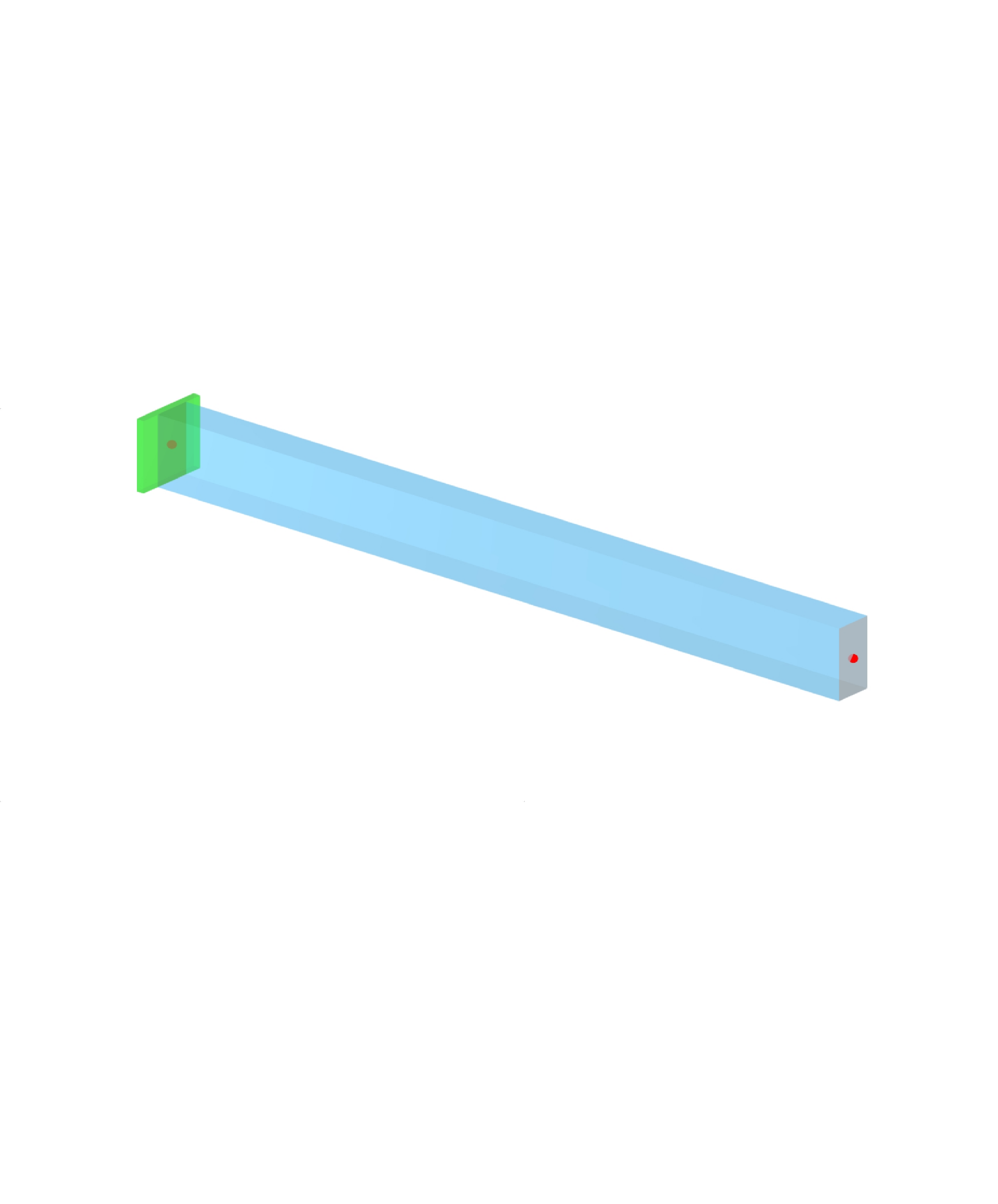
Modelling a built-in cantilever, combining two load cases and reading the support reactions:
Keywords:
cantilever nodal support nodal load member load load combination design situation support reactions save model |
from dlubal.api import rfem
from math import inf
import os

# -------------------------------------------------------
# This example demonstrates the full round trip for a
# simple model: create it, generate structure and loading,
# read an object type back, calculate, fetch results and
# save the file. The structure is a built-in cantilever
# carrying two load cases, which are factored into two
# load combinations, and the support reactions are
# retrieved.
# -------------------------------------------------------

# Editable parameters (SI units)
MODEL_NAME = 'cantilever_beam'
MATERIAL = 'S235'
CROSS_SECTION = 'HE 300 A'
BEAM_LENGTH = 6.0                  # L [m]
NODAL_FORCE_Y = 5000.0             # [N], tip force across the beam
NODAL_FORCE_Z = 10000.0            # [N], tip force down the beam
MEMBER_LOAD = 10000.0              # [N/m], uniform along the member


def define_structure() -> list:
    """Define and return a list of structural objects."""

    return [
        # Define material
        rfem.structure_core.Material(
            no=1,
            name=MATERIAL,
        ),

        # Define cross-section
        rfem.structure_core.CrossSection(
            no=1,
            name=CROSS_SECTION,
            material=1,
        ),

        # Define nodes
        rfem.structure_core.Node(
            no=1,
        ),
        rfem.structure_core.Node(
            no=2,
            coordinate_1=BEAM_LENGTH,
        ),

        # Define line
        rfem.structure_core.Line(
            no=1,
            definition_nodes=[1, 2],
        ),

        # Define member
        rfem.structure_core.Member(
            no=1,
            line=1,
            cross_section_start=1,
        ),

        # Define nodal support at Node 1 (fully fixed)
        rfem.types_for_nodes.NodalSupport(
            no=1,
            nodes=[1],
            spring_x=inf,
            spring_y=inf,
            spring_z=inf,
            rotational_restraint_x=inf,
            rotational_restraint_y=inf,
            rotational_restraint_z=inf,
        ),
    ]

def define_loading() -> list:
    """Define and return a list of loading objects."""

    return [
        # Static analysis settings
        rfem.loading.StaticAnalysisSettings(
            no=1,
            analysis_type=rfem.loading.StaticAnalysisSettings.ANALYSIS_TYPE_GEOMETRICALLY_LINEAR
        ),

        # Define load cases.
        # self_weight_active is set on both. Left unset it does NOT default the
        # same way for every case: RFEM switches it on for the first load case
        # and off for the rest, so LC1 would silently carry the beam's own
        # weight and LC2 would not - an asymmetry that then propagates into both
        # combinations below.
        rfem.loading.LoadCase(
            no=1,
            name='Tip force',
            static_analysis_settings=1,
            self_weight_active=False,
        ),
        rfem.loading.LoadCase(
            no=2,
            name='Uniform member load',
            static_analysis_settings=1,
            self_weight_active=False,
        ),

        # Define nodal loads
        rfem.loads.NodalLoad(
            no=1,
            load_case=1,
            nodes=[2],
            load_type=rfem.loads.NodalLoad.LOAD_TYPE_COMPONENTS,
            components_force_y=NODAL_FORCE_Y,  # Force in Y direction (N)
            components_force_z=NODAL_FORCE_Z,  # Force in Z direction (N)
        ),
        rfem.loads.MemberLoad(
            no=1,
            load_case=2,
            members=[1],
            load_type=rfem.loads.MemberLoad.LOAD_TYPE_FORCE,
            magnitude=MEMBER_LOAD,
        ),

        # Define design situation
        rfem.loading.DesignSituation(
            no=1,
            name='ULS (STR/GEO) - Permanent and transient - Eq. 6.10',
            design_situation_type=rfem.loading.DesignSituation.DESIGN_SITUATION_TYPE_STR_PERMANENT_AND_TRANSIENT_6_10,
        ),

        # Define load combination
        rfem.loading.LoadCombination(
            no=1,
            name='CO1',
            items =  rfem.loading.LoadCombination.ItemsTable(
                    rows=[
                        rfem.loading.LoadCombination.ItemsRow(
                            load_case=1,
                            factor=1.35,
                        ),
                        rfem.loading.LoadCombination.ItemsRow(
                            load_case=2,
                            factor=1.5,
                        )
                    ]
            ),
            design_situation=1,
        ),
        rfem.loading.LoadCombination(
            no=2,
            name='CO2',
            items =  rfem.loading.LoadCombination.ItemsTable(
                    rows=[
                        rfem.loading.LoadCombination.ItemsRow(
                            load_case=1,
                            factor=0.85,
                        ),
                        rfem.loading.LoadCombination.ItemsRow(
                            load_case=2,
                            factor=1.0,
                        )
                    ]
            ),
            design_situation=1,
        ),
    ]


with rfem.Application() as rfem_app:

    # Step 1: Create a new RFEM model for the cantilever structure
    rfem_app.close_all_models(save_changes=False)
    rfem_app.create_model(name=MODEL_NAME)

    # Step 2: Ensure the model is empty by removing all pre-existing objects
    rfem_app.delete_all_objects()

    # Step 3: Define and generate all structure and loading objects
    objects = define_structure() + define_loading()
    rfem_app.create_object_list(objects)

    # Step 4: Retrieve and print information about load combinations in the model
    print("\nLoad Combinations:")
    object_list = rfem_app.get_object_list([rfem.loading.LoadCombination()])
    for combination in object_list:
        print(f"{combination.DESCRIPTOR.name} | {combination.name} | {combination.combination_rule_str}")

    # Step 5: Calculate the model
    calculation_info = rfem_app.calculate_all(skip_warnings=True)
    print(f"\nCalculation Info:\n{calculation_info}")

    # Step 6: Get results for nodal support forces (reactions) after calculation
    results_reactions = rfem_app.get_results(
        results_type=rfem.results.STATIC_ANALYSIS_NODES_SUPPORT_FORCES
    ).data
    print(f"\nResults | Nodes Support Forces:\n{results_reactions}")

    # Step 7: Save the model with results to the specified path
    model_path = os.path.abspath(f'./{MODEL_NAME}')
    rfem_app.save_model(path=model_path)
    print(f"\nModel File Path:\n{rfem_app.get_model_main_parameters().model_path}")
using Rfem = Dlubal.Api.Rfem;
using Dlubal.Api.Common;
using Google.Protobuf;
using Microsoft.Data.Analysis;

// -------------------------------------------------------
// This example demonstrates the full round trip for a
// simple model: create it, generate structure and loading,
// read an object type back, calculate, fetch results and
// save the file. The structure is a built-in cantilever
// carrying two load cases, which are factored into two
// load combinations, and the support reactions are
// retrieved.
// -------------------------------------------------------

const string MODEL_NAME = "cantilever_beam";

// Returns a list of structural objects to be created.
static List<IMessage> DefineStructure()
{
    return new List<IMessage>
    {
        new Rfem.StructureCore.Material{
            Name="S235"
        },
        new Rfem.StructureCore.CrossSection{
            Name="HE 300 A",
            Material=1,
        },
        new Rfem.StructureCore.Node{
            No=1,
            Coordinate1=0,
        },
        new Rfem.StructureCore.Node{
            No = 2,
            Coordinate1 = 6,
        },
        new Rfem.StructureCore.Line{
            No = 1,
            Type = Rfem.StructureCore.Line.Types.Type.Polyline,
            DefinitionNodes = { 1, 2 }
        },
        new Rfem.StructureCore.Member{
            No = 1,
            Type = Rfem.StructureCore.Member.Types.Type.Beam,
            Line = 1,
            CrossSectionStart = 1
        },
        new Rfem.TypesForNodes.NodalSupport{
            No=1,
            SpringX = double.PositiveInfinity,
            SpringY = double.PositiveInfinity,
            SpringZ = double.PositiveInfinity,
            RotationalRestraintX = double.PositiveInfinity,
            RotationalRestraintY = double.PositiveInfinity,
            RotationalRestraintZ = double.PositiveInfinity,
            Nodes = { 1 }
        },
    };
}

static List<IMessage> DefineLoading()
{
    return new List<IMessage>
    {
        new  Rfem.Loading.StaticAnalysisSettings{
            No=1,
            AnalysisType=Rfem.Loading.StaticAnalysisSettings.Types.AnalysisType.GeometricallyLinear,
        },
        // SelfWeightActive is set on both. Left unset it does NOT default the
        // same way for every case: RFEM switches it on for the first load case
        // and off for the rest, so LC1 would silently carry the beam's own
        // weight and LC2 would not - an asymmetry that then propagates into
        // both combinations below.
        new Rfem.Loading.LoadCase{
            No=1,
            Name="Tip force",
            StaticAnalysisSettings=1,
            SelfWeightActive=false,
        },
        new Rfem.Loading.LoadCase{
            No=2,
            Name="Uniform member load",
            StaticAnalysisSettings=1,
            SelfWeightActive=false,
        },
        new Rfem.Loads.NodalLoad{
            No=1,
            LoadCase=1,
            Nodes={2},
            LoadType=Rfem.Loads.NodalLoad.Types.LoadType.Components,
            ComponentsForceY=5000,
            ComponentsForceZ=10000,
        },
        new Rfem.Loads.MemberLoad{
            No=1,
            LoadCase=2,
            Members={1},
            LoadDistribution=Rfem.Loads.MemberLoad.Types.LoadDistribution.Uniform,
            LoadType=Rfem.Loads.MemberLoad.Types.LoadType.Force,
            Magnitude=10000,
        },
        new Rfem.Loading.DesignSituation{
            No=1,
            DesignSituationType=Rfem.Loading.DesignSituation.Types.DesignSituationType.StrPermanentAndTransient610,
        },
        new Rfem.Loading.LoadCombination{
            No=1,
            Name = "CO1",
            DesignSituation=1,
            CombinationRuleStr="1.35*LC1+1.5*LC2",
        },
        new Rfem.Loading.LoadCombination{
            No=2,
            Name = "CO2",
            DesignSituation=1,
            Items=new Rfem.Loading.LoadCombination.Types.ItemsTable{
                Rows={
                    new Rfem.Loading.LoadCombination.Types.ItemsRow{
                        LoadCase=1,
                        Factor=0.85,
                    },
                    new Rfem.Loading.LoadCombination.Types.ItemsRow{
                        LoadCase=2,
                        Factor=1.0,
                    },
                },
            },
        },
    };
}


ApplicationRfem? rfemApp = null;

try
{
    rfemApp = new ApplicationRfem();

    // Step 1: Create a new RFEM model for the cantilever structure
    rfemApp.close_all_models(saveChanges: false);
    rfemApp.create_model(MODEL_NAME);

    // Step 2: Ensure the model is empty by removing all pre-existing objects
    rfemApp.delete_all_objects();

    // Step 3: Define and generate all structure and loading objects
    rfemApp.create_object_list(DefineStructure());
    rfemApp.create_object_list(DefineLoading());

    // Step 4: Retrieve and print information about load combinations in the model
    Console.WriteLine("\nLoad Combinations:");
    var loadCombinationList = rfemApp.get_object_list(
        new List<IMessage> {
            new Rfem.Loading.LoadCombination()
        }
    );

    foreach (var obj in loadCombinationList)
    {
        if (obj is Rfem.Loading.LoadCombination loadCombination)
        {
            Console.WriteLine(
                $"{Rfem.Loading.LoadCombination.Descriptor.Name} | " +
                $"{loadCombination.Name} | " +
                $"{loadCombination.CombinationRuleStr}"
            );
        }
    }

    // Step 5: Calculate the model
    var calculationInfo = rfemApp.calculate_all(skipWarnings: true);
    Console.WriteLine("\nCalculation Info:");
    Console.WriteLine(calculationInfo);

    // Step 6: Get results for nodal support forces (reactions) after calculatio
    var resultsReactions = rfemApp.get_results(
        resultsType: Rfem.Results.ResultsType.StaticAnalysisNodesSupportForces
    );
    Console.WriteLine("\nResults | Nodal Support Forces:");
    Console.WriteLine(resultsReactions.Data);

    // Step 7: Save the model with results to the specified path
    string modelPath = Path.GetFullPath($"./{MODEL_NAME}");
    rfemApp.save_model(path: modelPath);
    var savedModelPath = rfemApp.get_model_main_parameters();
    Console.WriteLine($"\nModel saved at:\n{savedModelPath.ModelPath}");
}

catch (Exception ex)
{
    Console.WriteLine($"Error: {ex.Message}");
}
finally
{
    // Step 8: Close connection
    if (rfemApp != null) rfemApp.close_connection();
}